Real keys, not shortcuts to shortcuts
Hotkeys, app launches, URLs, media keys, screenshots, typed text, chained macros — and shell commands, if you turn them on. Seven kinds of action, each doing the thing itself rather than pretending.

 Download
Deckon turns the phone already in your hand into a control surface for your computer. Real keys, your own apps, and about two milliseconds — straight over your own Wi-Fi.
The short of it
Press to action
~2ms
A press is a JSON frame across your own Wi-Fi. Measured on a MacBook Air over LAN — round trip, not a marketing round number.
0
Servers between your phone and your computer. There is no Deckon cloud to be down, breached, or discontinued.
7
Kinds of key — hotkey, launch, URL, media, system, text and shell.
Drives all three, from an iPhone or an Android. One deck, whatever is on the desk.
What it does
Hotkeys, app launches, URLs, media keys, screenshots, typed text, chained macros — and shell commands, if you turn them on. Seven kinds of action, each doing the thing itself rather than pretending.
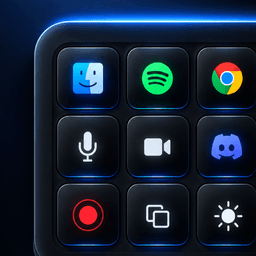
Deckon reads what is installed on your Mac, pulls each icon at full fidelity, and samples a brand colour straight out of it. Spotify green, Chrome blue, Figma orange — a deck you can read at a glance. Windows and Linux list apps by name for now.
On a Mac, Play becomes the track: title, artist, and the cover art blurred behind it — Spotify, Music, or video in a browser tab. Everywhere else the key still drives playback; it just does not yet report back what is on.
When something on your machine needs a decision — a coding agent asking to run a command — the question arrives on your phone. Answer from anywhere in the room; the first answer settles it.
Portrait, landscape, phone, tablet: the grid is derived from the screen, not stretched to it. Keys stay square, keep their order, and whatever will not fit is one swipe away.
A press is a JSON frame over your own Wi-Fi. No relay, no queue, no round trip through anyone’s cloud — the phone does not even wait for the reply to feel pressed.
Make it yours
The look is a per-phone choice, so two phones on the same deck can be completely different objects. Pick one and watch the deck below change.
Near-black keys, colour only in the glyph
How it works
macOS, Windows or Linux. It starts on its own and sits in the menu bar.
A QR code appears. Your phone scans it once and is issued a key of its own.
Your deck is on your phone. Edit it on the desktop and every change lands instantly.
Every kind of key
Deckon Premium
Smart Decks gives every app — and every site — its own deck. Switch to Figma and your phone shows Figma’s keys; open Gmail and it is Gmail’s. From ₹49 a month at launch.
Install the desktop app on the computer you want to drive, then pair the phone you already carry. The deck is built on the desktop; the phone is the surface.
On an Intel Mac? Download the Intel build. Every installer is also on the releases page.
The phone app is on the App Store and Google Play. It is free, and it needs the desktop app to do anything at all.

The app for the rest of it: sessions worth turning up to, tournaments worth entering, and the people nearby who play what you play. Free, and from the same team that made this.
Questions
No. Pairing is a code exchange on your own network, and every press after it is a WebSocket frame between two devices on that network. There is no Deckon server to route through — the app does not have one.
Exactly what you put on the deck, and nothing else. A phone presses keys; it cannot define them. Keys are created and edited on the desktop, and any phone can be revoked from Settings, which kills its token immediately.
No. Pairing, editing and pressing all work with no account and no internet connection.
Yes — the desktop app, the phone app and every kind of key. Smart Decks, which switches your deck to match the app in front, is an optional subscription.
On macOS, Accessibility to send keystrokes and Screen Recording for screenshots — both requested only when a key needs them, and a key missing a permission tells you so instead of failing silently. Windows and Linux use the standard input tooling already on the system.
They are off until you switch them on, and then they run only the specific commands you wrote, only for a phone that is already paired. It is the sharpest thing in the app and it is opt-in for that reason.
iOS and Android. The phone app is the surface; everything is configured on the desktop.
Still stuck? connect@hangon.live reaches a person. The terms and privacy policy spell out the rest.